
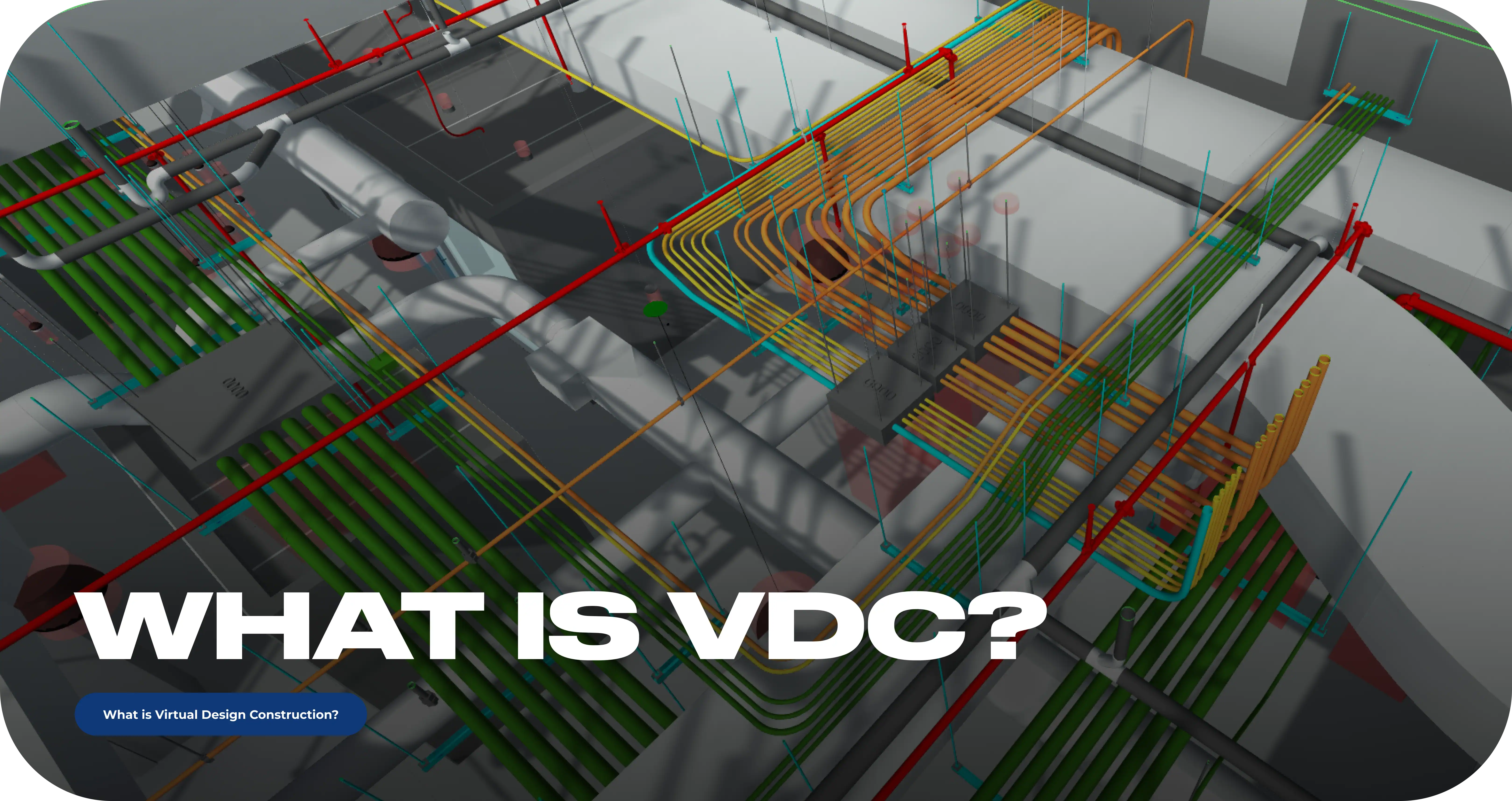
What Is VDC (Virtual Design and Construction)?
What Is VDC?
Virtual Design and Construction (VDC) is a project management methodology that uses integrated digital models of a building, its construction process, and the project team to plan and coordinate construction before work begins in the field.
The approach was developed at Stanford University's Center for Integrated Facility Engineering (CIFE) in 2001. In practice, VDC means conflicts between trades are found and resolved in a model instead of on site, where the same fix costs labor hours, change orders, and schedule delays.
VDC Meaning in Construction
VDC is defined by its creators, Stanford professors John Kunz and Martin Fischer, as the management of integrated multi-disciplinary performance models of a construction project, covering the product (the building), the process (how it gets built), and the organization (the team that builds it).
That three-part scope is what separates VDC from simply "working in 3D." The "Virtual" in the name refers to sequence: the project is built digitally first. Routing is laid out, equipment is placed, clearances are checked, and installation is sequenced in the model before any material arrives on site.
The physical build then follows a plan that has already been tested. The framework behind this is called the POP model - Product, Organization, Process. Each element of the project is modeled: what will be built, who will build it, and in what order. When all three are managed together, decisions made in the model hold up in the field. For a contractor, the practical translation is simple: VDC turns coordination from a field activity into a preconstruction activity.
Why VDC Matters: The Cost of Building Without It
Most cost overruns in construction come from conflicts discovered after installation has started. VDC moves that discovery point earlier where resolving a conflict is a modeling task instead of a demolition task.
The numbers behind this are consistent across industry research. Rework accounts for up to 12% of total project cost in traditional workflows, and model-based coordination has been shown to cut rework by 30–50%. A McKinsey analysis of more than 500 capital projects found average cost overruns of 79% and schedule delays of 52%, with much of it traced to planning gaps and inaccurate inputs.
Rework rarely arrives as one large failure. It arrives as a chain reaction. A duct runs lower than the drawings showed, so a cable tray shifts. The tray shift forces conduit reroutes. The reroutes crowd an electrical room, panel working clearance goes tight, gear moves, and now the feeders don't land where they were planned. Every link in that chain is labor hours that nobody budgeted.
A model-first process breaks the chain at the first link. The low duct is visible during coordination, the tray is routed around it once, and the rest of the sequence never happens. That is the core economic argument for VDC: the cost of a conflict depends almost entirely on when it is found.
The Core Components of VDC
The VDC framework consists of four elements: Building Information Modeling (BIM), Integrated Concurrent Engineering (ICE), Project Production Management (PPM), and metrics.
Each covers one part of the methodology - the product, the organization, the process, and the measurement that keeps all three accountable.
Building Information Modeling (BIM)
BIM is a data-rich 3D model of the building and its systems - geometry plus information about every element in it. Within VDC, BIM is the product model: the shared digital representation that all trades coordinate against. It supports clash detection, quantity takeoffs, schedules, and the drawings crews build from.
Integrated Concurrent Engineering (ICE)
ICE is a collaboration method in which all project disciplines - design, construction, and trade teams - work through decisions together in structured, real-time sessions rather than through sequential handoffs. In an ICE session, a routing conflict gets resolved in the room, with the model open and every affected trade present, instead of circulating through weeks of RFIs.
Project Production Management (PPM)
PPM applies production management principles to the construction process itself - planning work as a managed flow of tasks, resources, and sequences. It draws on Lean Construction methods such as the Last Planner System to reduce variability and waste. In the VDC framework, PPM is the process model: it governs how the coordinated design actually becomes installed work.
Metrics
Metrics are the measurable production objectives that link day-to-day VDC work to project and client goals - response latency on issues, percentage of clashes resolved before fabrication, schedule conformance. Kunz and Fischer recommended tracking production metrics from the start, and the principle holds: a VDC process that isn't measured drifts into a modeling exercise.
VDC vs. BIM: The Short Answer
BIM is the model; VDC is the methodology that uses the model - along with scheduling, cost, and coordination workflows - to manage the project. The two terms are often used interchangeably, but BIM is one component inside the broader VDC framework.
The difference shows in three places. Scope: BIM describes the building; VDC manages the building, the process, and the team. Role: BIM produces information; VDC turns that information into decisions and field deliverables. Output: BIM delivers a model; VDC delivers a coordinated, sequenced, buildable plan.
VDC also extends the model into additional dimensions: 4D links model elements to the schedule, and 5D links them to cost, so sequence and budget can be tested virtually alongside geometry. We break down the full comparison in our BIM vs. VDC article.
How the VDC Process Works
Model Development
The team builds a 3D model from whatever inputs exist - design drawings, specs, existing Revit files, submittals. For electrical scope, this includes panels, gear, conduit, cable tray, and low-voltage systems, modeled with real footprints and clearance intent.
Trade Coordination and Clash Detection
The model is federated with mechanical, plumbing, fire protection, structural, and architectural models.
Clash detection runs early and continuously, flagging both hard hits (tray vs. duct) and soft conflicts - access zones, congestion, routes that are technically clear but impossible to install
Coordination Meetings
Conflicts turn into decisions in structured working sessions: routing corridors get confirmed, equipment placement gets locked, and the model is updated as each decision is made.
Shop and Spool Drawings
The coordinated model becomes construction documentation - shop drawings that show routing paths and room-level detail the way crews install them, and spool drawings that break repetitive scope into prefabrication segments.
Prefabrication Support
With a stable, coordinated model, assemblies - racks, corridor runs, skids - can be fabricated off-site with confidence that they will fit.
Installation and As-Builts
Field crews build from coordinated documentation, and the model is updated to reflect installed conditions, producing an as-built record the owner can actually use for facility management.
What VDC Looks Like on an Electrical Project
Electrical is usually the last trade to claim space in a ceiling that mechanical, plumbing, and fire protection have already filled. That sequencing reality is why VDC delivers outsized value on electrical scope: the trade with the least leverage over space benefits most from having its pathways protected early.
The recurring electrical risks that VDC addresses are consistent from project to project: ceiling congestion that erases planned tray routes, feeder paths that force excessive bends, electrical rooms where NEC working clearances get squeezed by late equipment moves, and panel schedules that drift out of sync with what's modeled.
The contrast is easy to see in one scenario. Without VDC, an electrician on a lift discovers that the planned tray route crosses a sprinkler main, improvises an offset, and triggers the reroute chain described earlier. With VDC, that crossing appeared in a clash report months before rough-in, the routing corridor was reserved in a coordination meeting, and the crew installs a run that was already proven to fit.
Prefabrication is where the payoff compounds. Electrical prefab - racks, assemblies, full room build-outs - only works when the model is trustworthy. A coordinated VDC model makes prefab predictable; a drifting model turns it into scrap.
Who Performs VDC: Roles and Responsibilities
VDC work is performed by two primary roles: VDC engineers, who build and coordinate the models, and VDC managers, who run the process. On larger teams the roles split further, but the engineer/manager division covers most of the industry.
A VDC Engineer develops and maintains the 3D models, runs clash detection, produces coordination and shop drawings, and serves as the technical bridge between design intent and field installation. The standard toolset is Revit for modeling and Navisworks for coordination, with tools like Synchro for 4D scheduling on projects that use it.
A VDC Manager owns the process: setting modeling standards, running coordination meetings, tracking issues to resolution, and keeping designers, trade teams, and the GC aligned on one model. The role is less about producing geometry and more about making sure the coordination process produces decisions.
These roles sit in different places depending on the organization. General contractors typically staff VDC managers to run multi-trade coordination. Trade contractors - including electrical - either hire in-house VDC engineers or bring in a dedicated outside team, which leads to the next question most contractors face.
In-House VDC Team vs. Outsourced VDC Services
The choice between building an in-house VDC capability and hiring an outsourced team comes down to three factors: how steady your project pipeline is, how fast the current project needs a model, and whether the expertise exists in-house today.
An in-house team makes sense when the workload is continuous. If your shop runs a steady stream of BIM-required projects, operates its own prefab facility, or fabricates enough repetitive scope to keep a modeler busy year-round, the salary pencils out and the institutional knowledge compounds.
An outsourced team makes sense when the demand is project-based or immediate. Hiring and training a competent VDC engineer takes months; a GC asking for a coordination model needs it in weeks. Outsourced VDC also fits contractors who see BIM requirements on some contracts but not enough to justify a full-time seat, and firms that want senior-level coordination experience without building it from zero.
The hybrid model is common in practice. Many contractors already have a CAD or Revit person internally; an outside VDC team plugs in as an extension - handling coordination-heavy phases, clash management, or shop drawing production while the in-house resource stays aligned with the shop and field crews.
Whichever direction you take, evaluate a VDC partner on four things: the deliverables you'll actually receive (model, clash reports, shop drawings, spool drawings - not just a model file), the software stack and whether it matches your GC's coordination environment, whether they attend coordination meetings as your trade's representative, and whether they've done your trade specifically. Electrical coordination has its own traps, and a team that has been through them is worth more than a generalist.
FAQ
What does VDC stand for in construction?
VDC stands for Virtual Design and Construction - a methodology developed at Stanford’s Center for Integrated Facility Engineering in 2001 that uses digital models of a building, its construction process, and the project team to plan and coordinate work before construction begins.
Is VDC the same as BIM?
No. BIM is the data-rich 3D model of a building; VDC is the broader methodology that uses BIM, along with scheduling, cost data, and coordination workflows, to manage the project. BIM is one component of VDC.
What software is used for VDC?
Most VDC work in the U.S. runs on Revit for modeling and Navisworks for multi-trade coordination and clash detection. Projects using 4D scheduling add tools like Synchro, and cloud platforms such as Autodesk Construction Cloud handle model sharing and issue tracking.
Do small electrical contractors need VDC?
Small contractors need VDC when the project demands it - a BIM requirement in the contract, a congested ceiling, a dense electrical room, or a prefab plan. For occasional needs, an outsourced VDC team is usually more practical than a full-time hire.
What does a VDC engineer do?
A VDC engineer builds and maintains 3D construction models, runs clash detection, coordinates with other trades, and produces the shop and spool drawings that field crews install from. The role bridges design intent and field reality.
As-Built Drawings: What They Are, Cost & How They’re Made
- As-Built Drawings
- What Are As-Built Drawings?
- As-Built vs. Record Drawings vs. Redlines
- What As-Built Drawings Include
- Who Creates As-Built Drawings and Who Is Responsible
- How As-Built Drawings Are Made
- As-Built Best Practices for Contractors and Owners
- How Much Do As-Built Drawings Cost?
- Why Accurate As-Builts Matter
- As-Built Drawings vs. As-Built BIM Models
As-Built Drawings: What They Are, Cost & How They're Made
As-built drawings are the final revised set of construction drawings, updated to show every change, substitution, and deviation made during construction — documenting the building as it was actually built, not as it was designed.
The contractor records changes throughout the project, and the completed set is delivered to the owner as part of the closeout package. This guide covers what as-built drawings include, who is responsible for them, how much they cost, and how they are produced.
What Are As-Built Drawings?
As-built drawings are construction documents that have been revised to reflect the actual installed conditions of a completed project. Where design drawings show intent — what the architect and engineers planned — as-builts show reality: the dimensions, locations, materials, and system routings that exist in the finished building.
The gap between the two is unavoidable. Construction plans change in the field for predictable reasons: concealed site conditions that no one could see during design, value engineering decisions that swap materials or systems, product substitutions driven by availability, and trade conflicts that force rerouting. Every one of those changes makes the original drawings less accurate — and as-builts are the mechanism that captures them.
As-built drawings originate in two different scenarios. The first is closeout documentation: the contractor tracks deviations during construction and delivers a revised drawing set when the project ends. The second is existing-conditions documentation: a building with outdated or missing drawings is measured or laser-scanned, and a new drawing set is produced from that data. Both produce "as-builts," but the process, the responsible party, and the cost differ — which is why the terms around them cause so much confusion.
As-Built vs. Record Drawings vs. Redlines
Redlines, as-builts, and record drawings are three stages of the same documentation process, produced by different parties at different times. The terms are often used interchangeably on job sites, but contracts — and the AIA — treat them as distinct documents with distinct liability.
Redlines are the working markups. As construction progresses, the contractor marks changes directly on the working drawing set — traditionally in red pen, now more often in PDF markup tools. Redlines are raw field data: accurate but informal.
As-Built Drawings are the contractor's formalized product. At project close, the accumulated redlines are drafted into a clean, revised drawing set that documents installed conditions. The contractor certifies what was built, because the contractor is the party that built it.
Record Drawings are the design professional's product. The architect or engineer takes the contractor's as-built information and incorporates it into the official project record set. The distinction matters legally: the design professional prepares record drawings based on information provided by the contractor, without verifying every field condition — which is why record drawings typically carry a disclaimer and as-builts do not.
| Document | Who produces it | When | Status |
|---|---|---|---|
| Redlines | Field crews / trade contractors | Continuously during construction | Informal working markups |
| As-built drawings | Contractor | At project closeout | Contractor-certified record of installed work |
| Record drawings | Architect / engineer | After receiving as-builts | Official record set, based on contractor data |
What As-Built Drawings Include
A complete as-built set documents the final dimensions, locations, materials, and routing of everything that was installed — with every deviation from the design drawings clearly marked. Coverage is organized by discipline, and the three core categories are architectural, structural, and MEP.
Architectural As-Builts
Record the building's final layout: floor plans with verified dimensions, exterior and interior elevations, sections, ceiling plans, and finish schedules. They capture the changes owners most often ask about later — moved walls, resized openings, relocated doors and windows, and revised room configurations.
Structural As-Builts
Document the load-bearing reality of the building: columns, beams, framing, foundations, and slabs as actually placed. Critically, they also record penetrations, sleeves, and embeds — the openings that were actually made through structural elements. Any future renovation that touches structure starts from this set.
MEP As-Builts
Cover the mechanical, electrical, and plumbing systems — the portion of the building that is mostly invisible once walls and ceilings close. Mechanical sheets record duct routing, equipment locations, and valve positions; plumbing sheets record pipe routing, fixtures, and cleanouts. Electrical as-builts carry a disproportionate share of long-term value, because electrical systems are both concealed and continuously modified over a building's life.
A complete electrical as-built set documents panel locations and final panel schedules, circuit runs, conduit and cable tray routing, feeder paths, device and fixture locations, and low-voltage systems. When a facility team needs to add a circuit or trace a fault ten years later, this is the sheet set they reach for — if it exists and is accurate.
Who Creates As-Built Drawings and Who Is Responsible
Responsibility for as-built information rests with the contractor who performed the work. Each trade contractor documents changes within its own scope — the electrical contractor records electrical deviations, the mechanical contractor records mechanical ones — because the installing party is the only one who reliably knows what changed.
The delivery chain runs upward from there. Trade contractors submit their as-built markups to the general contractor, who compiles them into the project-wide set and delivers it to the owner or the design team. If record drawings are required, the architect or engineer produces them from the contractor's as-built data.
As-builts are a contractual obligation, not a courtesy. Most commercial contracts list as-built delivery among the closeout requirements, alongside O&M manuals and warranties — and tie it to money. Final payment and release of retention are routinely conditioned on an accepted closeout package, which means late or sloppy as-builts directly delay the last 5–10% of the contract value. Treating as-builts as an afterthought is, in practice, an interest-free loan to the owner.
Specialized drafting and scanning firms enter the picture in two cases: when a contractor's field markups need to be turned into professional CAD or Revit deliverables, and when an existing building needs documentation from scratch. Both are common — field crews are good at recording changes and rarely staffed to draft them.
How As-Built Drawings Are Made
Field Capture
Crews record deviations as work is installed — marked-up drawings, photos, and field notes.
Each change is documented at the moment it happens, when the person who made it still remembers why.
Reconciliation
The recorded changes are checked against the project's paper trail: RFIs, change orders, and approved submittals.
This step catches undocumented changes and resolves conflicts between what the markups show and what was formally approved.
Drafting
The verified changes are drawn into the document set — in CAD for 2D deliverables or Revit for model-based projects.
Clean drafting standards matter here: an as-built set with inconsistent symbols and layering is barely more usable than the redlines it came from.
Verification
The drafted set is checked against actual conditions — through spot field measurements on standard projects, or scan-based verification where the contract demands documented accuracy.
Delivery
The final set is issued in the contracted formats — typically PDF for reading plus native DWG or RVT files for future editing — and submitted with the closeout package.
For existing buildings without reliable documentation, the process is different: there are no redlines to start from. Instead, the building is laser-scanned, the scans are registered into a point cloud, and drawings are drafted from the point cloud data. When the deliverable is a model rather than 2D sheets, this workflow is known as scan-to-BIM.
As-Built Best Practices for Contractors and Owners
The quality of an as-built set is determined in two places: in the field during construction, and in the contract before construction starts. Contractors control the first; owners control the second.
For Contractors: Keeping As-Builts Accurate During Construction
- Record changes the day they happen. A deviation marked up the same day is a fact; the same deviation reconstructed at closeout is a guess. As-builts assembled from memory in the last two weeks of a project are the industry's most common documentation failure.
- Assign redline ownership per trade. One named person per trade owns the markup set. When redlines are everyone's job, they are no one's job.
- Tie every change to paper. Each markup should reference the RFI, change order, or submittal that authorized it. This turns the as-built set into a defensible record instead of a collection of annotations.
- Photograph concealed work before cover-up. Conduit in a wall cannot be re-documented after drywall. Photos of in-wall and above-ceiling systems, keyed to locations, cost minutes and settle disputes years later.
- Standardize markup conventions. One symbol set, one color logic, one revision method across all sheets and all trades — so the drafter formalizing the set doesn't have to decode five different markup dialects.
For Owners: What to Require in the Contract
- Native file formats, not just PDF. Require DWG or RVT deliverables alongside PDFs. A drawing set you cannot edit loses most of its value at the first renovation.
- A defined level of detail. Specify what must be documented — dimensions, routing, equipment data — before the project starts, not at closeout.
- A deadline tied to payment. Link as-built delivery to final payment or retention release. It is the single most effective accuracy incentive available to an owner.
- Verification for critical systems. For scopes where accuracy carries long-term cost — electrical distribution, medical gas, below-slab utilities — require spot verification or scan confirmation.
- Consider a model for long-life facilities. If the building will be renovated repeatedly or managed by a sophisticated FM team, an as-built BIM model may serve better than 2D sheets — see the comparison below.
How Much Do As-Built Drawings Cost?
The cost of as-built drawings is driven by four factors: building size, the number of disciplines documented, the required level of detail, and the production method — drafting from contractor markups versus laser scanning existing conditions. Industry pricing published by drafting and survey providers puts most work in the range of roughly $0.40 to $3.00 per square foot for drawing production, with residential sets typically quoted between $700 and $1,300, according to published rates from drafting marketplaces such as Cad Crowd and providers like Alterpex.
Scan-based documentation of existing commercial buildings is priced differently, because it includes field data capture. Providers publishing 2026 rates quote small commercial spaces in the low thousands, mid-size commercial projects in the mid four figures to low five figures, and large or MEP-dense facilities considerably higher — with per-square-foot rates falling as building size grows, since mobilization and processing costs are largely fixed.
Beyond the four main factors, several conditions push cost upward: concealed MEP systems above hard ceilings, missing or outdated existing documentation, restricted site access, occupied facilities that limit field time, and rush delivery. Multi-discipline sets cost more than architectural-only sets for the obvious reason — there is more building to document.
These figures are market benchmarks, not quotes; the ranges above reflect what surveying and drafting providers publish, and any real project is priced against its actual scope. The more useful comparison is against the cost of not having as-builts: a single exploratory wall or ceiling opening during a future renovation — with the trade labor, patching, and schedule impact around it — often costs more than documenting the system correctly did in the first place, and a renovation full of "discoveries" costs multiples of any as-built package.
Why Accurate As-Builts Matter
Inaccurate as-builts transfer the cost of every undocumented change to the next project in the building. The change itself was cheap to record when it happened; rediscovering it later is expensive, and someone always has to.
Renovations feel it first. Every remodel of a poorly documented building begins with an investigation phase — probing walls, opening ceilings, tracing systems — before design can even start. Facility teams feel it daily: locating an isolation valve or the panel feeding a failed circuit takes minutes with good as-builts and hours without them.
The stakes are also legal. As-builts serve as evidence in disputes over scope, damage, and code compliance, and some jurisdictions require updated documentation before issuing certificates of occupancy for significant work.
Electrical scope shows the failure mode clearly. A panel relocated two rooms over during construction — but never moved on the drawings — means every future circuit trace in that building starts with a search for the panel itself. Multiply that by every undocumented junction box, reroute, and schedule change, and "we'll fix the drawings later" becomes a permanent tax on the building.
As-Built Drawings vs. As-Built BIM Models
An as-built drawing set records geometry; an as-built BIM model records geometry plus data. The 2D set shows where the panel is. The model shows where it is, what it is — manufacturer, rating, circuit data — and how it connects to everything else in the building.
That difference matters in three ways. A model is queryable: facility teams can locate equipment and pull its data instead of reading sheets. A model is checkable: future renovation designs can be clash-detected against documented existing conditions before demolition starts. And a model is a foundation: as-built BIM is the entry point to digital twin and asset management workflows that 2D sheets cannot support.
Drawings remain the right answer for many buildings. If the facility is unlikely to see major renovation, the FM team works from PDFs, and the budget is fixed, a clean 2D as-built set does the job. A model earns its cost when the building has a long service life, a renovation pipeline, or an owner whose facility management runs on data rather than paper.
The upgrade path runs in one direction and is always available: existing as-built drawings, or a laser scan of the building, can be developed into a Revit model at any point. Owners who start with 2D documentation are not locked out of BIM — but owners who start with a model never need to reconstruct one.
FAQ
What is the difference between as-built and record drawings?
As-built drawings are produced by the contractor and document installed conditions based on field markups. Record drawings are produced by the architect or engineer, incorporating the contractor’s as-built information into the official project record — typically with a disclaimer, since the design professional does not verify every field condition.
Who is responsible for as-built drawings?
The contractor who performed the work is responsible for recording changes within their scope. Trade contractors submit as-built markups to the general contractor, who compiles the full set and delivers it to the owner as part of the closeout package.
How much do as-built drawings typically cost?
Published market rates for as-built drawing production generally run from about $0.40 to $3.00 per square foot, with residential sets often quoted between $700 and $1,300. Scan-based documentation of existing commercial buildings starts in the low thousands and scales with size, system density, and the required level of detail.
Are as-built drawings required by law?
Requirements vary by jurisdiction. Some municipalities require as-built documentation for permits closeout or certificates of occupancy on significant work; most commercial contracts require them regardless, as a condition of final payment.
What format should as-built drawings be delivered in?
Best practice is PDF for review plus native editable files — DWG for CAD-based sets or RVT for model-based projects. Owners should specify formats in the contract; a set delivered only as PDF or paper loses most of its value for future work.
What Is Scan-to-BIM?
Scan-to-BIM is the process of laser scanning a physical building to capture its exact existing conditions, then using that scan data — a point cloud — to build an accurate BIM model of the structure. It exists to solve one problem: most existing buildings have documentation that is outdated, incomplete, or missing entirely, and scan-to-BIM replaces those unknowns with a verified digital model.
This guide explains how the process works, what deliverables you receive, what level of detail to order, and what it costs.
Scan-to-BIM Meaning: The Process in One Chain
Scan-to-BIM converts a real building into an intelligent model through a three-link chain: laser scan → point cloud → BIM model.
Each link is a distinct thing, and understanding the difference prevents most scoping mistakes.
A laser scan is the field capture. A LiDAR scanner sweeps the space and measures millions of distances per second, recording the exact position of every visible surface — walls, ceilings, ducts, conduit, equipment.
A point cloud is what those measurements become: a dataset of millions of points, each with an X, Y, Z coordinate, that together form a precise 3D picture of the building as it stands. A point cloud is accurate but "dumb" — it knows where surfaces are, not what they are.
A BIM model is the finished product. Modelers use the point cloud as a dimensional reference to build intelligent objects — a wall that knows it's a wall, a panel with a type and location, a duct run with a size — typically in Revit.
The distinction that matters most for anyone ordering the service: the scan is raw material, and the model is the deliverable. Converting one into the other is manual engineering work performed by modelers tracing the point cloud — not an automated file conversion. That is why scan-to-BIM is priced as a professional service and why the level of modeling detail is the main cost driver.
Why Scan-to-BIM Exists: The Documentation Problem
Most of the world's building stock was constructed before digital design tools existed, which means most existing buildings enter a renovation with documentation that can't be trusted.
The drawings that do exist typically fall into one of three states: they were never created or have been lost; they are 2D originals that were never updated through decades of modifications; or they show the design intent rather than what was actually built.
Working without reliable existing conditions has a predictable cost profile. Design teams measure by hand and extrapolate. Contractors open walls and ceilings to find out what's really there. Field crews discover conflicts between the new design and existing systems after installation has started — the most expensive possible moment to learn something about a building.
Scan-to-BIM changes the starting point. Instead of designing against assumptions, the project designs against a millimeter-accurate record of what exists — captured in days, verifiable by anyone, and usable by every discipline on the project.
How Scan-to-BIM Works
Scope Definition
The client and provider agree on what will be modeled — which areas, which disciplines (architectural, structural, MEP), what level of development (LOD), and what accuracy tolerance.
All of it goes into the scope of work before fieldwork begins, because "model the building" means nothing until these questions are answered.
Field Scanning
Technicians capture the building with terrestrial scanners, mobile mapping units, or both — high-detail static scans for dense mechanical spaces, mobile scanning for corridors and open floor plates.
A scan that would take weeks of manual measurement takes hours or days, and the building typically keeps operating while it happens
Point Cloud Processing
Individual scans are registered — stitched into a single, unified point cloud — then cleaned of noise and checked for coverage gaps against the scope of work.
The output is one coherent dataset of the entire scanned area.
BIM Modeling
Modelers build the Revit model over the point cloud, tracing real geometry into intelligent building elements.
This is the labor-intensive stage, and its duration scales directly with the LOD and the density of what was scanned — an empty warehouse models fast; a mechanical room does not.
Q&A + Delivery
The finished model is checked against the point cloud for dimensional conformance, then delivered — typically as an RVT file, with the point cloud itself included when the contract calls for it.
We cover the technical details of each stage — scanner selection, registration, modeling standards — in our dedicated scan-to-BIM workflow guide.
What You Get: Scan-to-BIM Deliverables
The core deliverable of a scan-to-BIM project is a Revit model of the building's existing conditions, scoped by discipline and level of detail. What that model contains — and what arrives alongside it — should be defined in the contract, not assumed.
A typical deliverable package includes some combination of the following. The BIM model itself, organized by discipline: architectural (walls, floors, ceilings, doors, windows), structural (columns, beams, framing), and MEP (ductwork, piping, conduit, cable tray, panels, equipment).
The point cloud, delivered as a separate dataset — worth requesting even if you only need the model today, because it remains a permanent measurable record of the building that future projects can reference without re-scanning. And 2D derivatives — floor plans, sections, and elevations cut directly from the model for teams that work from sheets.
One limitation belongs in every scoping conversation: a scanner only captures what it can see. Systems inside walls, above hard ceilings, or buried in shafts do not appear in the point cloud and therefore do not appear in the model — unless access panels are opened, ceiling tiles are lifted, or the scope explicitly combines scanning with selective exploratory access. A provider who doesn't raise this on their own is leaving you to discover it during design.
LOD: The Decision That Drives Scope and Price
LOD — Level of Development — defines how precisely each element in the model is developed, and it is the single biggest lever on scan-to-BIM cost. Ordering more LOD than the project needs is the most common way clients overpay.
Three levels cover nearly all scan-to-BIM work. LOD 200 produces generalized geometry — elements with approximate size and location, right for space planning and early design studies. LOD 300 produces accurate geometry — elements modeled to their true size, shape, and position, the standard for renovation design. LOD 350 adds the interface detail — hangers, connections, clearances — needed for trade coordination and clash detection against existing systems.
The efficient approach is mixed LOD, matched to how each zone of the model will actually be used. A hospital retrofit might model the mechanical rooms and ceiling plenums at LOD 350 — where new MEP has to thread through existing systems — while office and corridor architecture stays at LOD 200. Same building, one model, and a meaningfully smaller invoice than a blanket LOD 350 order.
The rule that keeps scope honest: the model's intended use sets the LOD, not the instinct that more detail is better. We break down the full LOD framework, including LOD 400 and 500, in our guide to LOD in BIM.
How Much Does Scan-to-BIM Cost?
Scan-to-BIM cost is driven by four factors: building size, MEP density, the LOD ordered, and how many disciplines are modeled. Published market rates from scan-to-BIM providers put the modeling itself at roughly $0.15– $0.75 per square foot depending on LOD, with complete scan-plus-model projects for commercial buildings typically quoted from the mid four figures for smaller spaces into five figures for large or complex facilities, according to 2026 pricing guides published by providers such as The Future 3D and iScano.
The price is really three stacked services: field scanning (driven by building size, access, and site conditions), point cloud processing (driven by data volume), and BIM modeling (driven by LOD and element density — usually the largest share). That is why per-square-foot numbers spread so widely: a warehouse shell and a hospital mechanical floor of identical square footage are entirely different modeling efforts.
MEP density deserves its own mention because it moves cost more than any other single factor. Dense ceiling plenums, crowded mechanical rooms, and layered raceway systems multiply both scan positions in the field and modeling hours at the desk. A building's mechanical complexity is a better cost predictor than its floor area.
These figures are market benchmarks, not quotes — real pricing follows the actual scope, which is exactly why the scope conversation in stage one matters.
Where Scan-to-BIM Is Used
Scan-to-BIM shows up wherever a project needs to trust the existing conditions of a building. Four applications account for most of the demand.
As-built documentation. For buildings with missing or unreliable drawings, scan-to-BIM is how an accurate as-built record gets created from scratch — the model becomes the building's documentation baseline going forward. This is the scan-based path we describe in our guide to as-built drawings.
Renovations and additions. New design work proceeds against verified geometry instead of assumptions, and the proposed design can be clash-checked against the existing model before demolition — moving conflict discovery from the field to the screen.
MEP retrofits. This is where scan-to-BIM earns its cost fastest, and where it is hardest to execute well. Replacing switchgear, adding feeders, or routing new cable tray through an occupied building means threading new systems through a ceiling already full of duct, pipe, and conduit — with no margin for guessing what's up there. Scanning those zones captures every existing run at once; modeling them demands MEP-literate modelers who can tell a conduit rack from a pipe run in the point cloud. For electrical scope in particular, an accurate existing-conditions model turns retrofit routing from exploratory work into coordination work.
Facility management. The as-built model becomes an operational asset — a queryable record of building systems that FM teams use for maintenance planning, and the geometric foundation for digital twin platforms when owners take that step.
Scan-to-BIM vs. Traditional Measured Surveys
The difference between scan-to-BIM and a traditional measured survey is what gets captured: a manual survey records the dimensions someone decided to measure, while a scan records everything in view. That distinction drives everything else — completeness, revisit risk, and where each method makes sense.
A manual survey is faster to mobilize and cheaper for small scope: measuring a handful of rooms with simple, rectilinear geometry doesn't justify a scanner. Its weakness is selective capture — any dimension not measured on site means a return visit, and complex geometry gets simplified by whoever holds the tape.
Scanning wins when the geometry is complex, the MEP is dense, the space is large, or a second site visit is expensive — occupied facilities, remote sites, ceiling plenums that take effort to access. The point cloud captures dimensions nobody knew they'd need, which is precisely the insurance a renovation wants.
The practical threshold: if the project is a simple space you can measure completely in one visit, survey it. If it involves systems, complexity, or any real chance of "we should have measured that," scan it.
FAQ
What is a point cloud?
A point cloud is the dataset produced by laser scanning — millions of individual points, each with precise X, Y, Z coordinates, that together map every visible surface of a building. It serves as the dimensional reference from which the BIM model is built.
How accurate is scan-to-BIM?
Modern laser scanners capture data with accuracy in the millimeter range, and finished models are typically built to tolerances defined in the scope of work — commonly within a few millimeters to a couple of centimeters depending on the project’s requirements and LOD.
How much does it cost to convert a laser scan to BIM?
Published market rates put scan-to-BIM modeling at roughly $0.15–$0.75 per square foot depending on the level of development, with complete commercial projects generally starting in the mid four figures. MEP density and LOD are the main cost drivers.
Is scan-to-BIM the same as an as-built survey?
They overlap but aren't identical. An as-built survey documents existing conditions in any format, often 2D drawings; scan-to-BIM specifically produces an intelligent 3D model from laser scan data. Scan-to-BIM is the model-based way to create as-built documentation.
What software is used for scan-to-BIM?
Point clouds are processed and registered in tools like Autodesk ReCap or scanner-native software, and the model is built in Revit — the standard for BIM deliverables in the U.S. market. The point cloud loads directly into Revit as a modeling reference.